
Lansweeper
Link Lansweeper assets to your tickets and resolve incidents faster with complete asset context.

InvGate Service Management + Lansweeper integration
Integrate Lansweeper with InvGate Service Management to bring IT asset data directly into your service requests. Link Lansweeper assets to tickets, access complete asset context, and resolve incidents faster without switching tools.
Key features
Direct asset linking: Link Lansweeper assets directly to requests and view detailed asset information without leaving InvGate Service Management. Agents see everything they need to know about the affected device in seconds.
Unified dashboard: A single interface to manage both IT service requests and IT assets. Stop switching between systems and keep your team focused on ticket resolution.
Comprehensive reporting: Generate reports and dashboards that incorporate Configuration Items from Lansweeper. Correlate asset failures with ticket volume, identify patterns, and make data-driven decisions.
Asset detail visibility: Access related asset information both in request fields and within tickets. See device specifications, recent changes, software inventory, and known issues instantly.
What you can do
Administrators:
- Create custom fields that display asset data in request forms
- Map Lansweeper asset types to your service categories
- Include Lansweeper assets in custom reports and dashboards
Service desk agents:
- View complete asset details directly in the ticket interface
- Link Lansweeper assets to requests without switching tools
- See asset relationships and dependencies
- Access full asset history for faster root-cause analysis
How data flows
Lansweeper continuously discovers and catalogs IT assets across your network. When you integrate with InvGate:
- Discovery: Lansweeper identifies devices, software, and configurations
- Sync: Asset data is synchronized to InvGate
- Visibility: Agents see this data in request fields, searches, and reports
- Resolution: Agents resolve tickets with full asset context
- Updates: Changes in Lansweeper automatically appear in InvGate
Benefits
Faster incident resolution: Agents access complete asset context instantly. Understanding device specifications, recent changes, and known issues eliminates research time and speeds ticket resolution.
Better decision making: Incorporate Lansweeper asset data into reports and dashboards. Identify high-risk assets, correlate failures with patterns, and allocate resources smarter.
Improved team efficiency: Eliminate tool-switching and context loss. Your agents stay focused on tickets with all the information they need in one place.
Custom asset fields
Link Lansweeper asset data directly to your request forms as custom fields. Display device warranty status, software inventory, asset owner, location, or any other Lansweeper field relevant to your service categories. Agents see complete asset context without leaving the ticket.
Example: A "Printer Offline" request automatically displays the printer's model, location, serial number, and maintenance contract status, right in the ticket.
Getting started
The integration setup involves two parts:
In InvGate Service Management:
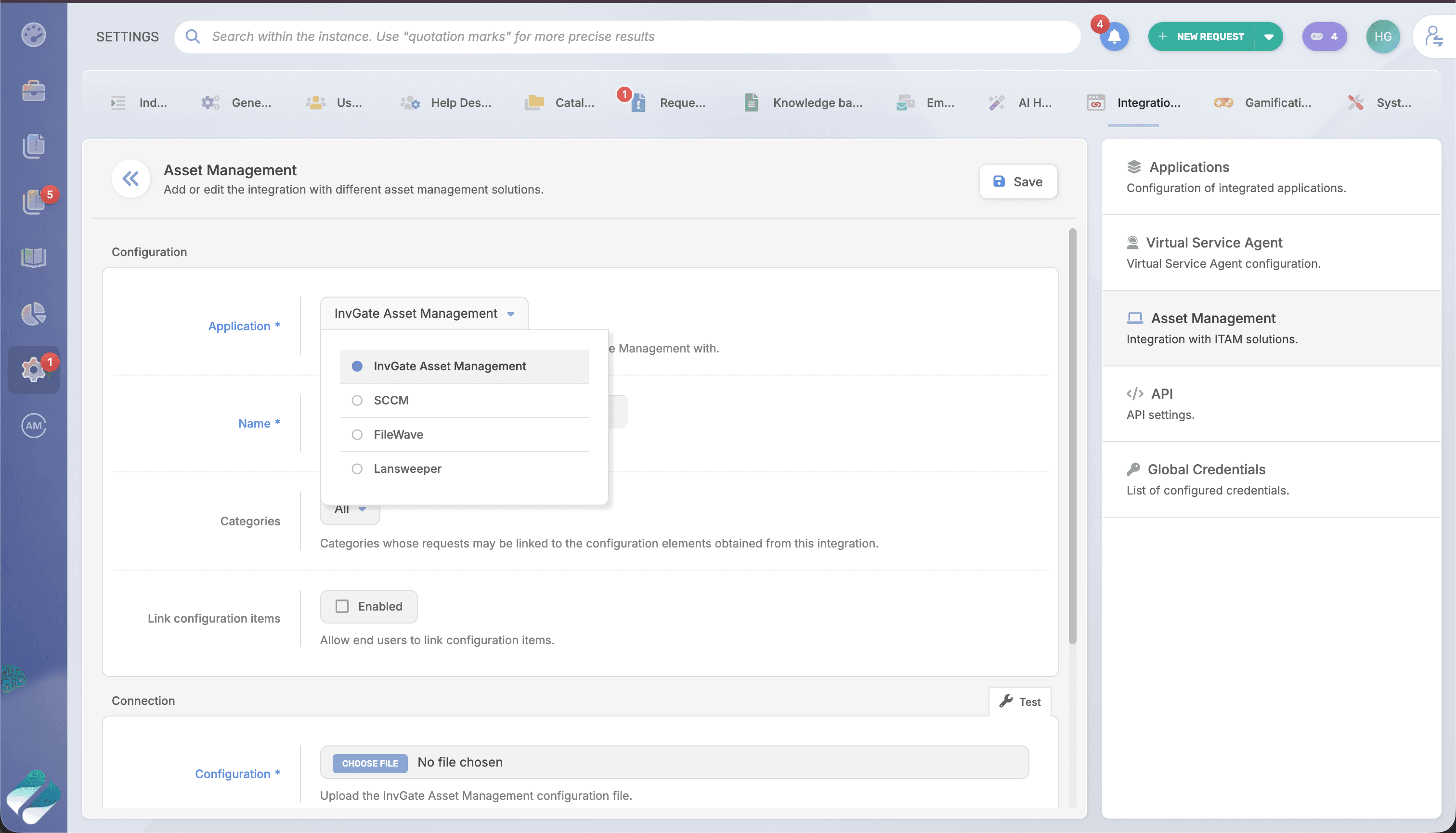
- Navigate to Settings > Integrations > Asset Management
- Click Add and select Lansweeper
- Map Lansweeper data to your service request categories
In Lansweeper:
- Create a new cloud application (or use an existing one)
- Configure the callback URL provided by InvGate
- Retrieve your Site ID, Application ID, and Client secret
Once both systems are connected, Lansweeper assets appear automatically in your InvGate requests.
Watch it in action
See how to connect Lansweeper to InvGate Service Management and link assets to tickets in under 5 minutes.
What you need to know
Lansweeper Cloud required: This integration works with Lansweeper Cloud only. If you're using Lansweeper on-premises, contact our support team to discuss options.
One-way data flow: Asset data flows from Lansweeper into InvGate. Use Lansweeper's interface to manage and update assets.
Real-time sync: Changes made in Lansweeper typically appear in InvGate within minutes. Both systems must be accessible for the integration to function.
Administrator configuration: Custom field mappings and user permissions are configured by administrators in InvGate.
Frequently asked questions
How often does Lansweeper data sync with InvGate?
Lansweeper asset data syncs automatically. Changes typically appear in InvGate within minutes.
What if Lansweeper becomes unavailable?
Previously synced asset data remains visible in InvGate. New or updated assets will appear once Lansweeper is back online. The integration automatically reconnects.
Can users modify assets from InvGate?
No. Asset data is read-only in InvGate. Make modifications directly in Lansweeper.
Can I control what data appears in InvGate?
Yes. Administrators configure which Lansweeper fields map to InvGate custom fields and control what data is visible in each service category.
Check out InvGate as your ITSM and ITAM solution
30-day free trial - No credit card needed
Clear pricing
No surprises, no hidden fees — just clear, upfront pricing that fits your needs.
Easy migration
Our team ensures your transition to InvGate is fast, smooth, and hassle-free.